Quote the job before you leave the driveway.
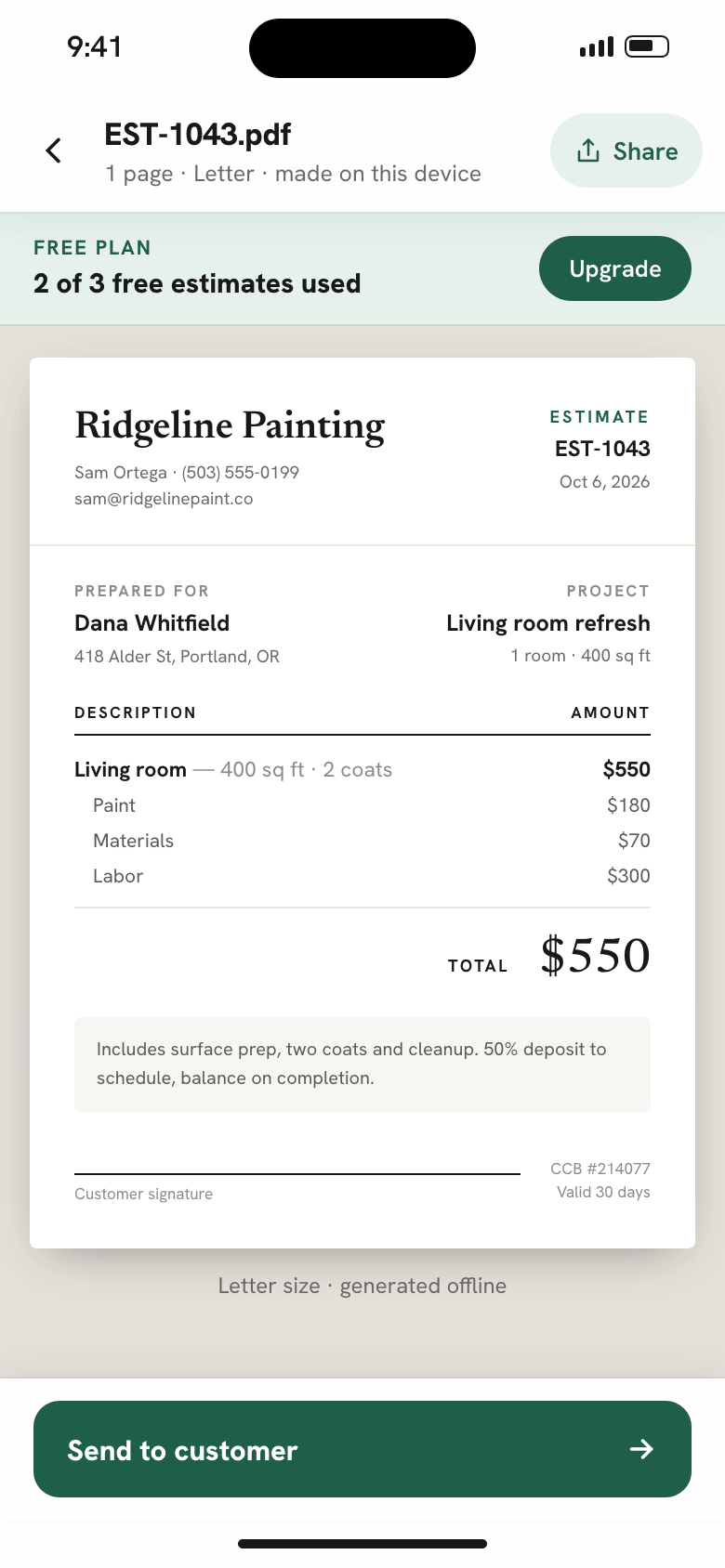
Measure each room, let the calculator price paint, materials and labor, and send a professional PDF estimate. When the customer signs, turn it into an invoice in one tap.
3 free estimates · Works offline · No account needed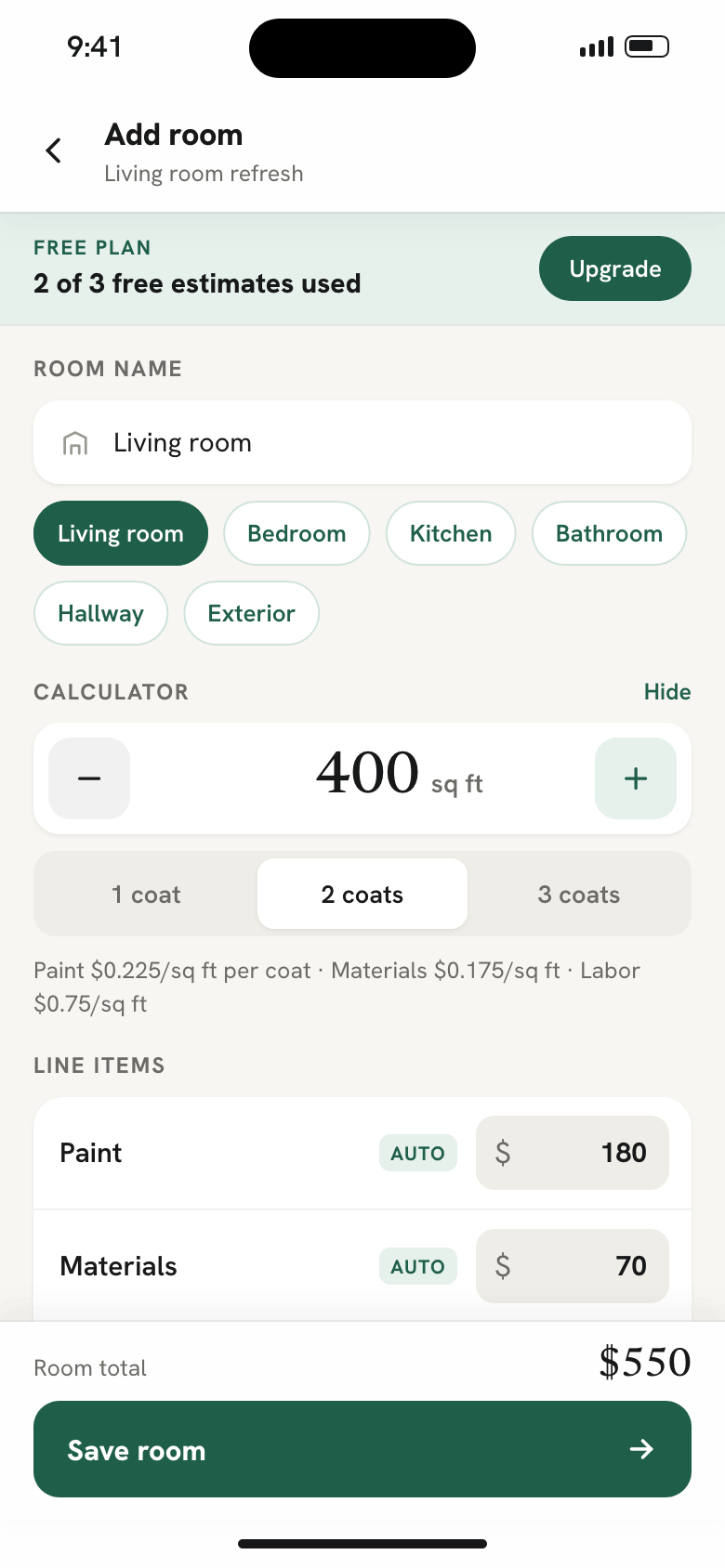
Why not a notepad, a spreadsheet or a general invoice app
Most painters write the numbers on paper, type them into a quote later, and type them again for the invoice. This is what that costs, and what changes.
From walkthrough to paid, entered once
Customer, job, rooms, materials and labor go in at the walkthrough. Everything after that reuses them.
{{ step.title }}
{{ step.body }}
What you get on your phone
Every screen below is from the app.
Also in the app
Start with 3 free estimates
Try the whole flow on real jobs. Upgrade when you want unlimited estimates, invoices and reminders.
Questions painters ask
What is Painter Estimate & Invoice?
Painter Estimate & Invoice is an offline estimate and invoice app for painters. You price interior repaints, exteriors, cabinets and trim on site, send a professional PDF estimate, get the customer's approval and turn the approved estimate into an invoice without typing anything twice.
How do I write a painting estimate on my phone?
Pick the customer, add each piece of work, and let the calculator suggest hours, materials and the trip fee. Every line stays editable. Tap Create Professional Estimate to get a PDF with your business name, line items, notes and a signature line.
Does Painter Estimate & Invoice work without internet?
Yes. Every screen works without signal and your data stays on your device. No account is needed. You can export a backup file to Files, iCloud or Google Drive and restore it on a new phone.
How does the customer approve an estimate?
Hand your phone to the customer to sign, or record that they approved by text, email or phone call. The approval date is saved with the estimate.
Can I turn an estimate into an invoice?
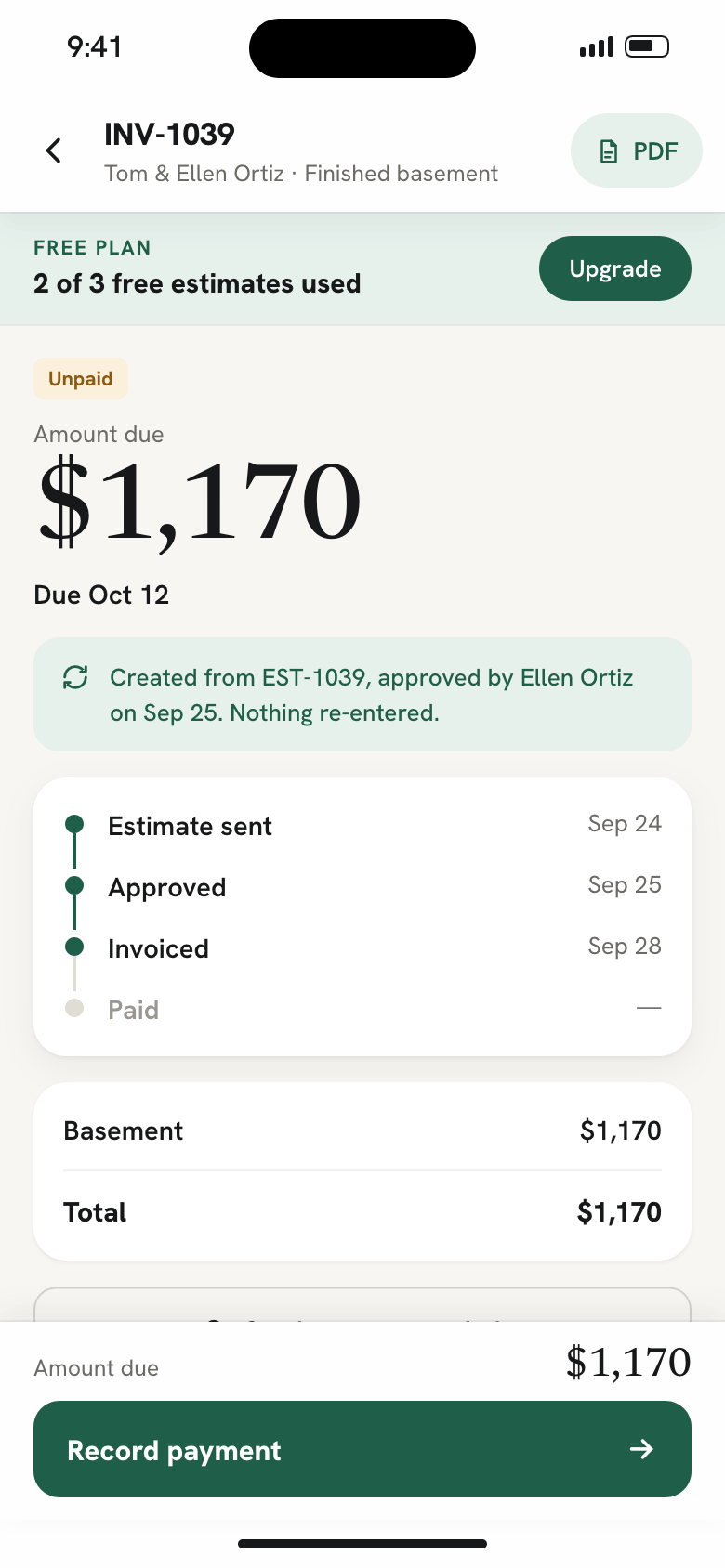
Yes. Convert an approved estimate into an invoice in one tap. The customer, work items and totals carry over. You can record full or partial payments and send friendly or firm payment reminders by text or email.
How much does Painter Estimate & Invoice cost?
Your first 3 estimates are free. Pro unlocks unlimited estimates, invoices and reminders for $9 per month, $90 per year, or a one-time payment of $299 for lifetime access.
Send your next estimate from the job site
Download the app, add your business details and rates, and price your first room.
3 free estimates · Works offline · No account needed